Generate Bill on SNA SPARSH
Generate Bill on SNA SPARSH
Nov 21, 2025
Step by Step how to generate bills on SNA Sparsh.
First Create the Vendor if not created Yet.
- Go to Login page and enter your sna user id and password of Maker.
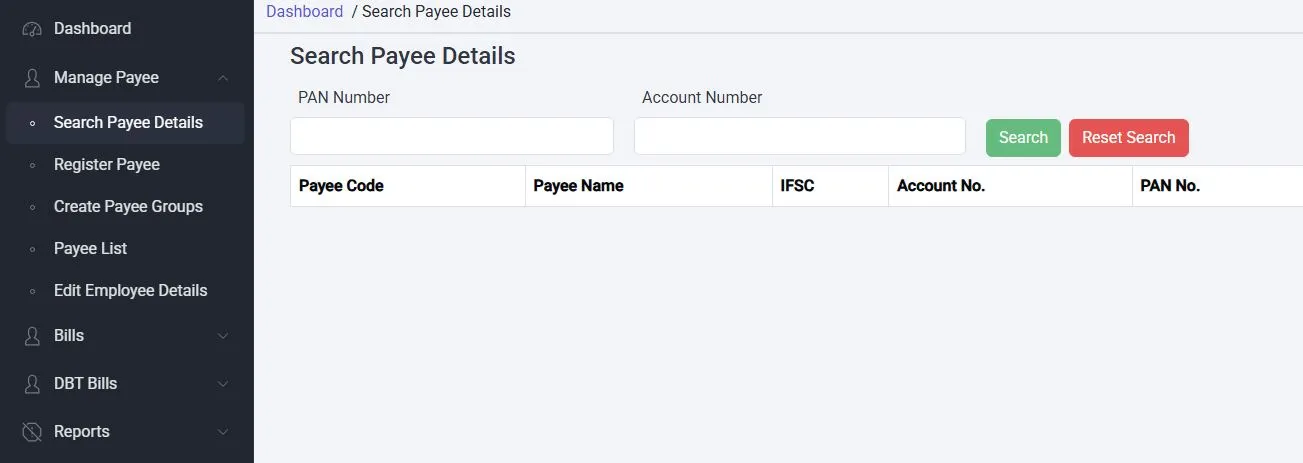
- At left side, click on Manage Payee
- If Vendor already exist, click on 'Search Payee Details'
- Enter PAN no. and Account no. and search
- Add this to your account
if Vendor is not registerd
- To add new Vendor, Click 'Register Payee'

- Now click 'Add New Payee'
- Select Scheme HR269
- Select Suitable item from Type
- Fill PAN no., Address,Mobile, Area
- Fill IFSC Code, Account no.
- Upload Bank Account Proof
- Click Submit
Befor sending payment to this vendor, first Verify this vendor in your Checker Id.
Verify the Vendor
- Click on Manage Payee

- Click on Payee List
- Select status- Unverified
- Select the vendor you want to add and save the vendor.
Now Generate the Bill. Login with Maker Password.
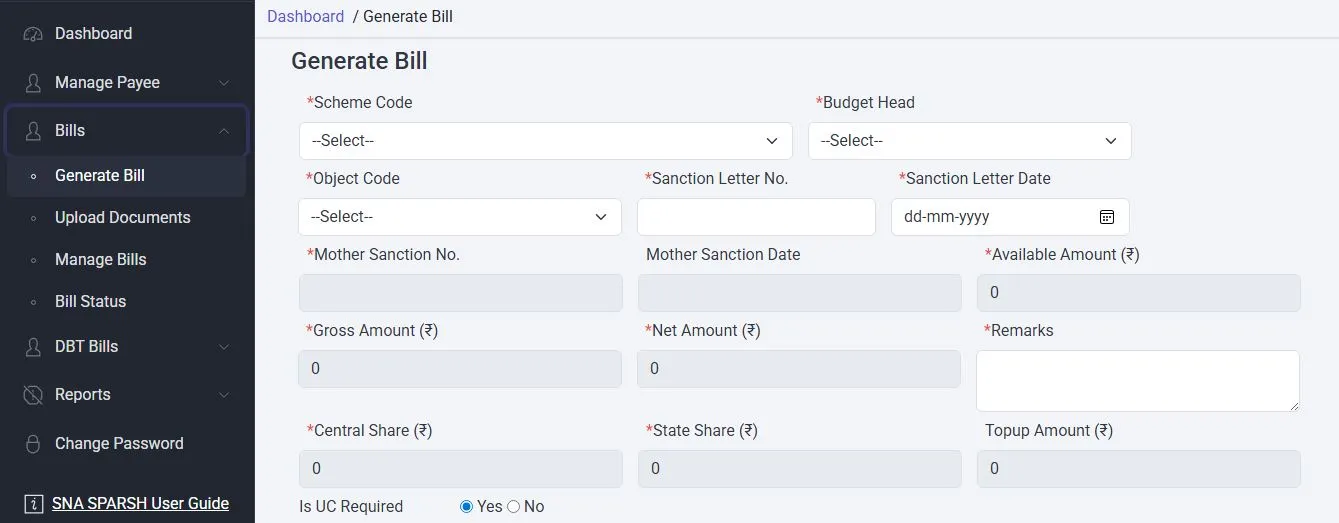
- Click on Bills
- Click on Generate Bills
- Select Code HR269
- Select code-P-02-12-2202-02-199-99-51- PM SHRI
- Select Grant-in-Aid-General
- Enter Sanction Letter No.
- Sanction Letter Date
- Fill the Remarks(What the bill is about)

- Is UC Required- Select No
- Search the Payee
- Enter Bill Amount
- Leave GST Amount (if not applicable)
- Click on ADD, It will show the Vendor there
- Now click on Component and it will show another small window
- Select the component and fill the same bill amount and add
- Click on Submit
Now the next page appears where you have to upload your bill in voucher and sanction in order.
Now the bill is generated and Note the bill Number.
Verify the bill in Checker
- Login with your chekcker Password
- Click on Bills --> Manage Bills
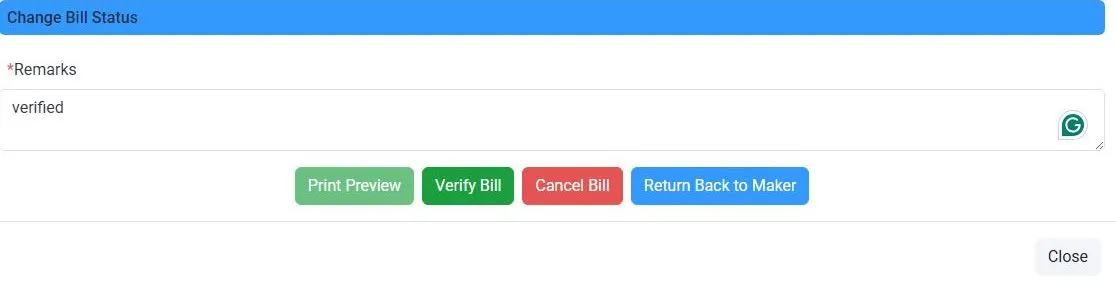
- You see the bills.
- Enter in Remarks like 'Verified' and click on Verify Bill.
- Now Click on Print Preview to see the bill.
Now Download the Bill
- Login with your Maker Password
- Go to Reports
- Click on SSRS Reports
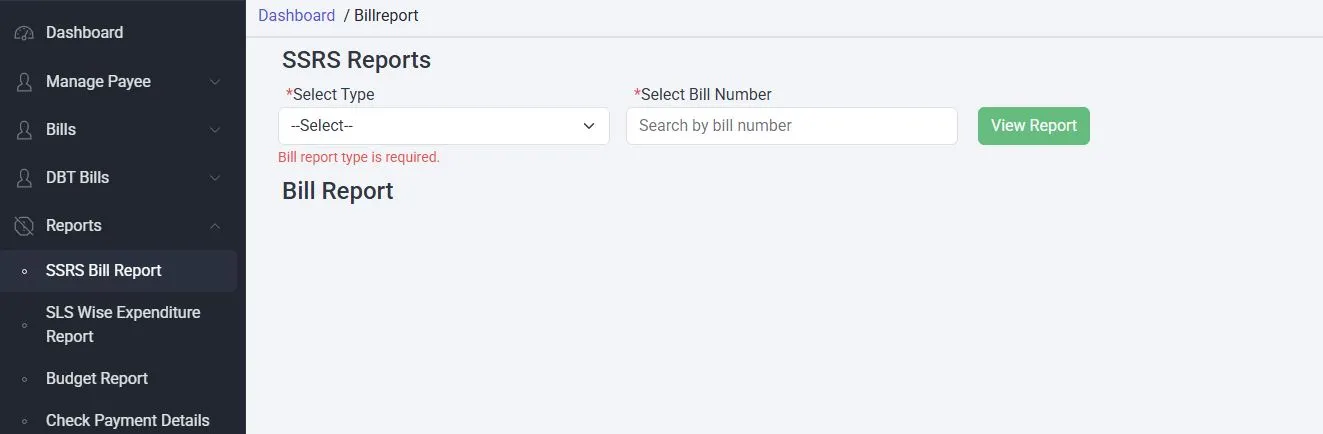
- Select Type
- Selecet Bill No.
- Download the Bill
Now Make 1 Original copy of all Original documents like Original Bill, Sanction Order and Printed Bill.
Then photocopy the original bills as many required.